Two Kinds of Human-in-the-Loop — And Why LangGraph Needs Both
Two kinds of HITL interrupts in LangGraph: information gaps (stuck, need data) vs authority gaps (stopped, need approval). Design for both; use interrupt(), never END as pause.
Ops sees "Completed" and closes the ticket. The approval is still sitting in Slack. Nobody follows up because the workflow is already marked done. That is what you get when you treat every human-in-the-loop (HITL) interrupt the same and use the wrong primitive to pause: zombie workflows, audit gaps, and plans that were approved but never executed the way the human thought they were.
I have been building LangGraph workflows and trying to nail down the right way to design HITL. The conclusion I keep coming back to: not every interrupt is the same. You need to separate two patterns and design for them explicitly: information gaps and authority gaps. Once you see the difference, a lot of LangGraph design choices (including why you must use interrupt() and not END to pause) fall into place.
What Most People Assume
Most HITL guidance and tutorials treat "pause, ask the human, resume" as one pattern. The docs list use cases: validate input, review tool calls, approve or reject an action. Mechanically they all use the same building block. So it is tempting to wire every pause the same way: one interrupt type, one resume flow, one mental model.
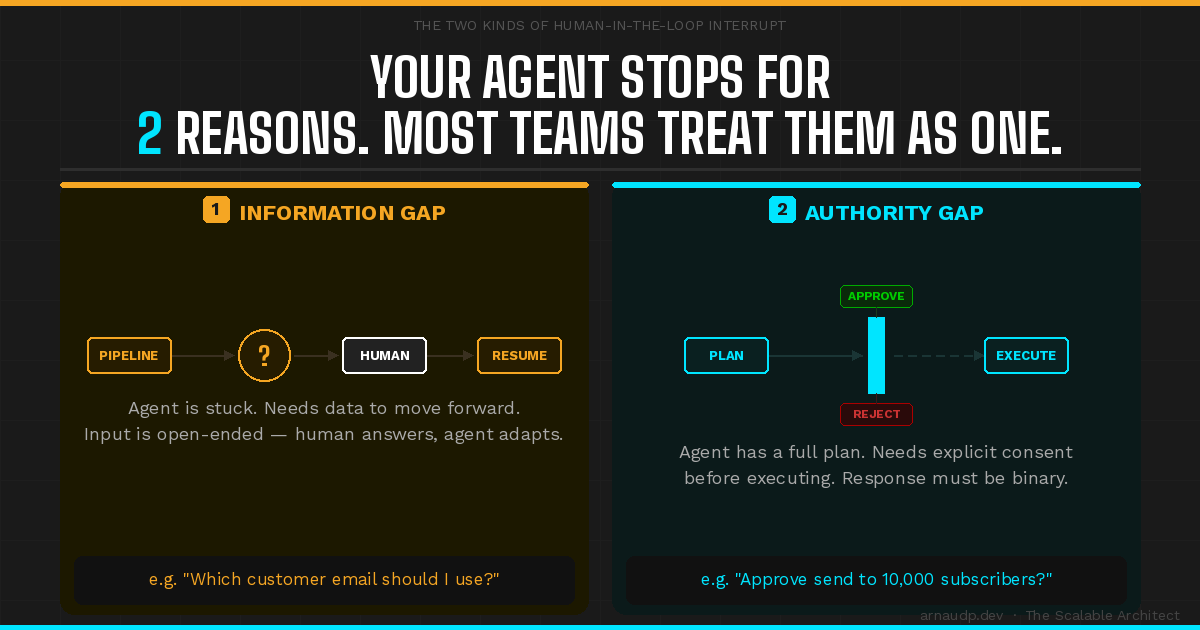
The problem is that the reason you are pausing is not the same. Sometimes the agent is stuck: it is missing data and cannot advance the plan until it gets an answer. Sometimes the agent is stopped: it has a plan and is ready to act, but it needs permission before it does something with side effects. Conflating those two leads to over-interrupting users, under-securing approvals, or workflows that look finished when they are not.
Two Kinds of Gaps
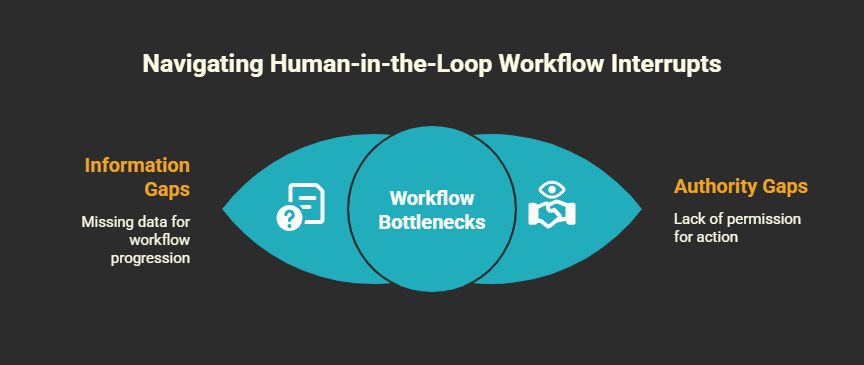
Information gap = the agent needs knowledge. It is stuck. It cannot decide what to do next without data only a human (or another system) can provide. The agent asks "Which customer email?"; the human replies; the agent continues to the next step. "What email address should I send this to?" "Which policy version should I use?" The human response is open-ended. The agent consumes that input and continues. The edge in your workflow is "get data, then proceed." You can accept fairly dynamic input here; I use a Socratic-style loop where the human can say whatever and the agent adapts.
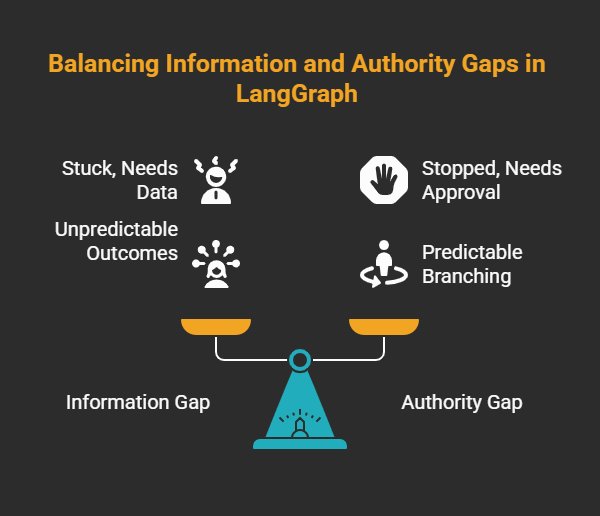
Authority gap = the agent needs consent. It is stopped. It has a concrete plan (e.g. "send this email to these 10,000 subscribers") and must not execute it until someone approves. The interrupt is not "give me a value" but "approve or reject this action." The human response should be deterministic: yes/no, or a structured choice. The edge is "get approval, then execute." If you leave approval as free text, you lose clear auditability and you make the graph branch unpredictable. Agents are probabilistic by default; to get HITL right you need deterministic behavior at the approval step (and at graph branches that depend on it). I use structured output from the prompt so the approval path returns a fixed shape (e.g. approve/reject) instead of natural language. That keeps the rest of the graph deterministic.
Information gap = stuck, needs data. Authority gap = stopped, needs approval. Design for both, but do not treat them the same.
LangGraph gives you one primitive, interrupt(), for both patterns; if you don't classify and treat them differently, that single primitive leads to zombies.
The END-as-Pause Trap
Here is the trap that creates zombie workflows. In LangGraph, END is a terminal state. It means "this run of the graph is done." It is not a "wait for the human" state. If you route your graph to END while you are actually waiting for approval, the checkpointer marks that thread as complete. Logs and dashboards show "Completed." Ops closes the ticket. The approval request is still in Slack or email. Nobody knows the workflow is not really done. That is a zombie: the system thinks it is finished and the human thinks someone else will act.
END does not save the instruction pointer in a way that says "resume here after the human responds." The checkpointer persists state snapshots (values, tasks, metadata), but only interrupt() tells the runtime "pause here and resume at this exact point when the client sends Command(resume=...)." So for any pause that depends on human input, you must use interrupt(). Use END only when the business process is actually complete. If you use END as a pause, you lose the guarantee that the approved plan is the one that runs: when you later "resume," you are not resuming the same run in a well-defined way, and you risk plan drift (the human approved one thing, the system does another).
What to Do Instead
- Classify every HITL point. For each place you need a human, ask: is this an information gap (agent stuck, needs data) or an authority gap (agent stopped, needs approval)? Label them in your design and in your code.
- Use
interrupt()for both. Do not use END to mean "wait for the human." Useinterrupt(value)where you need to pause. The value (e.g. the plan to approve, or the question to ask) surfaces to the client as__interrupt__. When the human responds, re-invoke the graph with the samethread_idandCommand(resume=...). The resume value becomes the return value ofinterrupt()inside the node. You need a checkpointer and a thread ID; without them, interrupts cannot persist.
from langgraph.types import interrupt, Command
# In node: approved = interrupt({"approve_plan": state["plan"]})
# Resume from client (same thread_id):
config = {"configurable": {"thread_id": "thread-1"}}
graph.invoke(Command(resume=True), config=config)
- Keep authority gaps deterministic. For approval, use structured output or a fixed schema so the resume value is not free text. That gives you clear branching (approved vs rejected) and a clean audit trail: who approved, when, and what the plan was at approval time. Information gaps can stay more open-ended.
- Reserve END for real completion. END = "this run is done." Use it only when the business outcome is achieved (or explicitly cancelled). Any "wait for human" state is an interrupt, not an END.
One More Gotcha: What Runs Again on Resume
When you resume after an interrupt(), the node that was interrupted restarts from the beginning. The runtime does not resume from the exact line after interrupt(); it re-runs the whole node and, when it hits interrupt() again, it receives the resume value and continues. So any side effects you run before the interrupt() in that node can run twice. That is the idempotency trap: if the node sends a Slack notification before calling interrupt(), that notification can fire again when the run resumes. Move the send into a node that runs only after the interrupt, or send it with a stable id and skip if that id was already sent.
Takeaway
Classify every interrupt, use interrupt() for both, never END as pause, keep approval paths deterministic, and keep resume idempotent. So the next time Ops sees "Completed," it can mean the approval really landed. That's the line between a workflow that's done on paper and one that's actually done.