The Blast Radius Problem: Running Your Coding Agent in YOLO Mode
Running your coding agent in bypass mode on your laptop is the mistake. A VM with Tailscale and default-deny egress is how you shrink the blast radius.

Last week I closed the lid and went to make dinner. When I came back, a 40-file refactor was done. It ran in tmux on a VM I can snapshot and throw away. I didn't have to sit there and watch it.
That only works because of where it ran. The work wasn't on my Windows machine with all my usual keys and configs next to it.
YOLO mode is fine. The problem is running it on your actual machine.
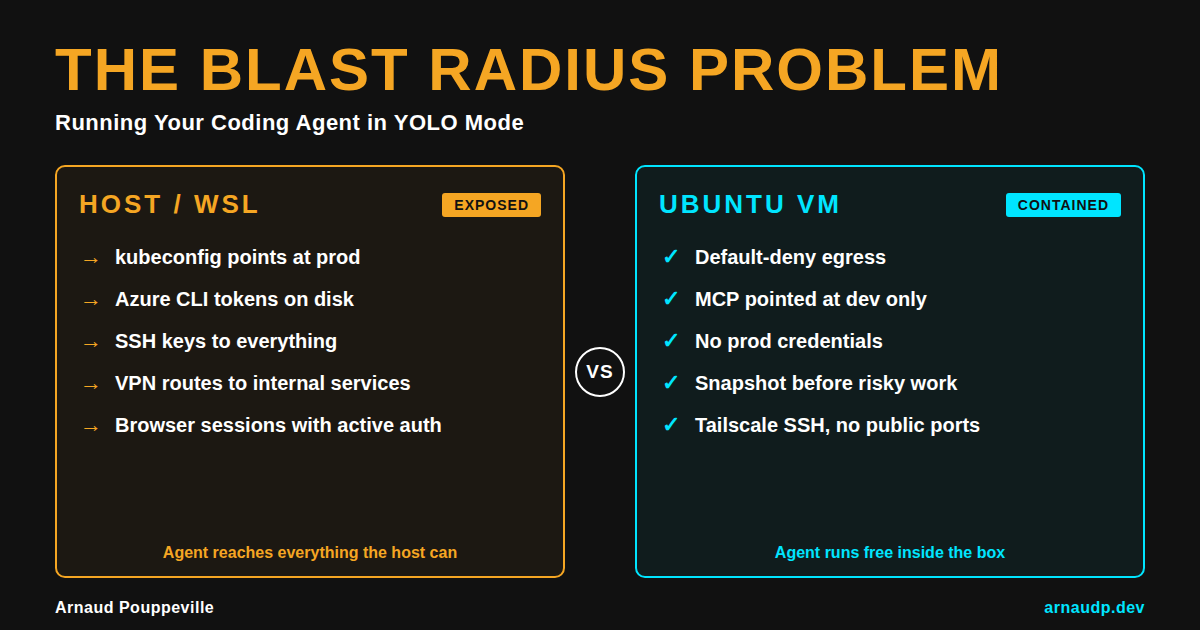
The setup I use is boring on purpose. Bypass mode runs inside an allow-listed Ubuntu VM on Tailscale, not on the PC where my kubeconfig already points at things I care about, not next to browser sessions and VPN routes that put internal services one hop away.
If someone says "we contained it" and they mean WSL, I don't trust that for this setup.
I've left a long agent run going while my laptop slept. The session was on the server. If I ran the same thing on a host with credentials spread across tools and profiles, I'd have stayed at the keyboard just to monitor.
Clicking approve all day kills your flow. You lose the thread and break your rhythm. After a while you either watch every step or you look for the setting that turns the gates off.
That's why --dangerously-skip-permissions and bypassPermissions exist.
The mistake is enabling bypass on your main machine because you're tired of the approval prompts.
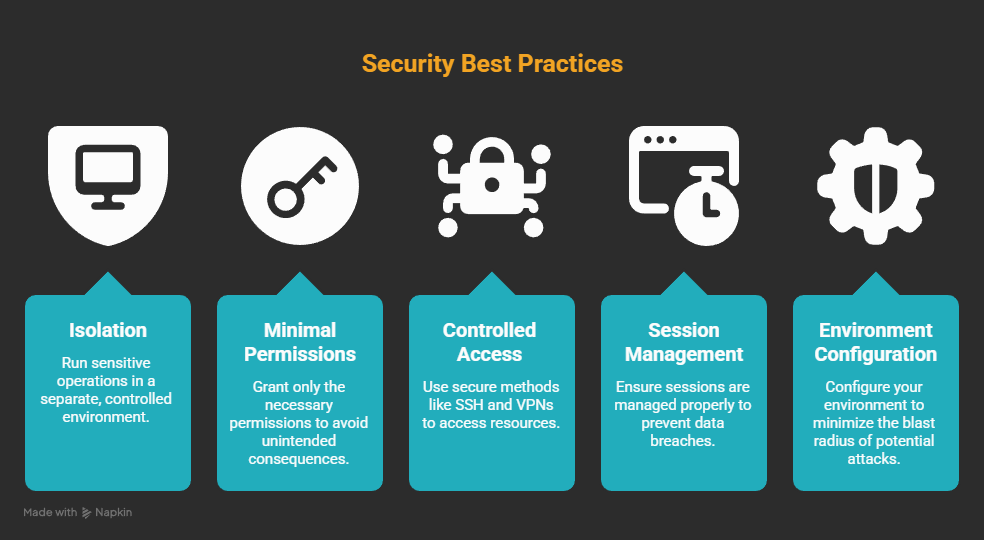
I want the blast radius as small as possible.
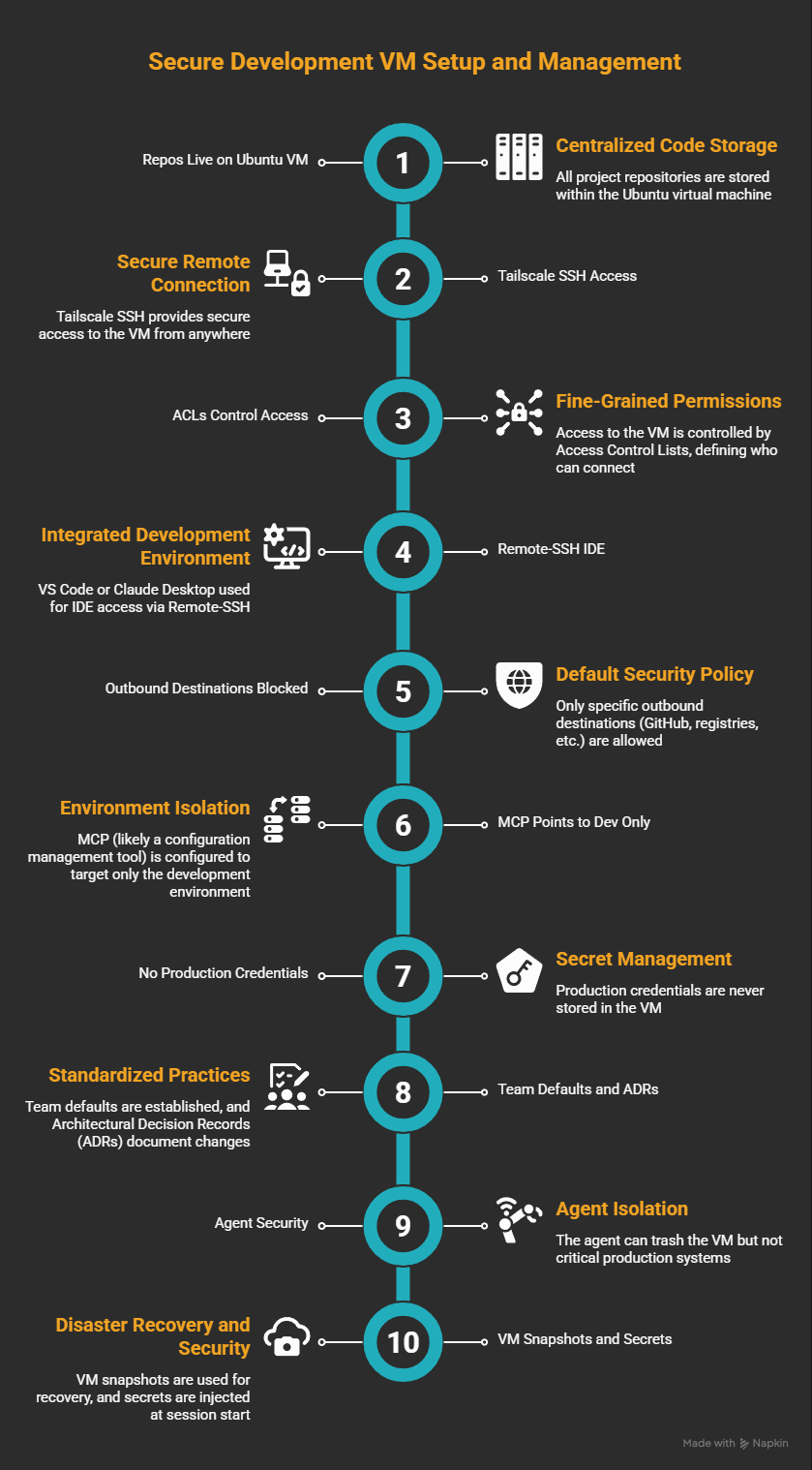
The setup itself isn't complicated. Repos live on an Ubuntu VM, I get in over Tailscale SSH, and the agent runs inside tmux so the session outlasts the laptop. Egress is default-deny with a short allow list per project, MCP and the database both point at dev, and there are no prod credentials anywhere in the VM. When the agent spins up a local web server I just port-forward over SSH, and I take a snapshot before anything I'm not sure about.
What bypass mode actually does
What bypassPermissions actually does: every tool call fires immediately. There's no prompt and no gate.
It still prompts on a handful of paths: .git, .vscode, .husky. Those aren't there because you're safe. That's just the minimum before it stops prompting at all.
Having a few prompts left doesn't mean you're protected. You're still in a mode the official Claude docs say belongs in a container or VM, not on your main machine.
In bypass, the whole plan runs without me watching. There's no stopping for each step and refactors just go.
The downside is the same speed applies to everything: shell, outbound calls, secrets you forgot you left somewhere, MCP servers that were OK in dev until they weren't.
That's a different trade than locking the agent in a box. I pick bypass when I want a long run to finish on its own without stopping for every shell command, and I'll take the trade because the VM is what eats the cost if something goes wrong.
GitHub issue #20264 (open when I wrote this, marked stale) is about tighter subagent permissions when the parent uses bypass. Until something changes there, I assume subagents see the same mode as the parent. That includes skills, plugins, and anything else delegated.
I aliased the flag to claude-yolo. It's mostly a joke but I mean it too. If I skip every prompt, I want the command to say what I'm doing.
I'm fine typing it because the VM is what makes the whole thing safe to run.
So what about WSL?
Keeping bypass off your laptop is the right call. But that alone doesn't close it.
I hear a lot about containers. Egress rules come up almost never. Anthropic ships a devcontainer with an iptables-style allow list in the claude-code repo.
init-firewall.sh is the part worth reading. That setup blocks everything outbound except a short list of endpoints.
I'm not replacing that. I'm doing the same idea with a VM as the dev machine: clearer network limits and snapshots that fit how I work, with an IDE over SSH when I need it.
WSL2 sits on Hyper-V. The isolation is actually real, at least at the hypervisor level.
The default setup is still built for convenience. /mnt/c lets Linux touch your Windows home and the network is usually whatever the host can reach. That's what you get out of the box.
WSL's kubectl points at whatever kubeconfig is under your Windows profile. That's the default. If that file can reach production, work inside WSL can reach production too. Same kind of issue shows up with Azure CLI tokens and anything else that follows the Windows profile.
You can harden WSL if you want to. Firewall rules exist, you can unmount /mnt/c, you can split credentials, and you can lock down the rest of it. Almost nobody does, because that's not how WSL ships and convenience is what most people are there for.
If someone tells me they run the agent in WSL and they're safe, I don't assume they tested it. I assume they haven't checked what the agent can reach.
Here's my actual setup
Repos live on the Ubuntu VM; Tailscale SSH gets me in. ACLs say who else can connect. When I need an IDE I use Remote-SSH with VS Code or Claude Desktop, otherwise just SSH.
GitHub, registries, dev SQL, APIs I'm testing: those are the only outbound destinations. Everything else is blocked by default.
MCP points at dev only. A connection string that can hit prod doesn't belong in this VM.
I keep no production credentials in the VM. If prod secrets can appear where bypass runs, nothing I described above matters.
For a team, the way it works is you clone the VM, clear the home folder, and the next person starts with the same locked-down environment they would have built themselves. The network policy lives in git, the allow-list is shared, and the MCP defaults already point at dev. When something breaks, you fix the VM, not three years of accumulated junk on someone's laptop.
The agent can still trash the VM, yet it shouldn't be able to touch payroll systems or prod data paths I care about.
If I destroy the VM I can restore it from a snapshot.
The part that still bites
If an MCP call goes sideways, the allow-list catches it. If a shell command does something stupid, I roll back.
What a VM can't fix is you copying data to the host or running a command outside the VM because the agent asked. That part is still on you.
The flag itself just skips prompts. What actually makes bypass safe to use is the place you choose to run it.
If you run bypass on your main OS, I'm not judging. I've done the lazy thing too.
If something goes wrong I want to restore a snapshot and move on. The alternative is spending days untangling what the agent touched on my main machine, and I've done enough of that.